One schedule for every store, on every phone.
Employee scheduling for multi location restaurants and food service.
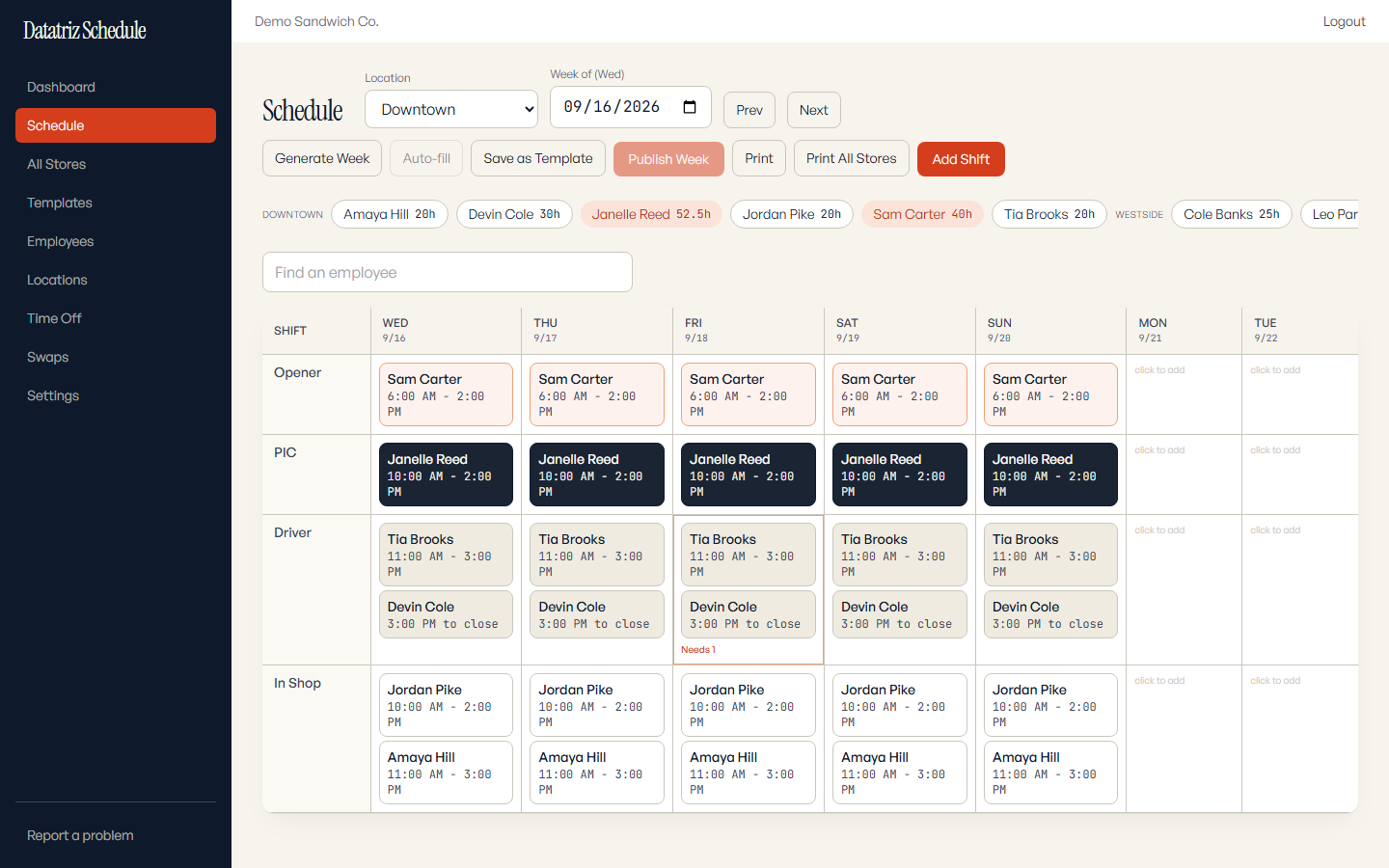
- Per store schedules
- Saved templates
- Shift offers and claims
- Time off requests
Build the week, publish it, and the crew has it.
Three steps from an empty week to shifts on every employee's phone.
-
Build the week from a saved template
Save a store's usual week as a template. Generate the next week from it, then change only the shifts that differ.
-
Publish it
Shifts stay in draft while you work. Publish the week and it goes out to the whole store at once.
-
Every employee sees it on their phone
Each employee opens My Schedule to see their shifts, request time off, or offer a shift up. Anyone on the crew with the right role can pick up an open shift, and every swap shows up for the manager, who can reverse it.
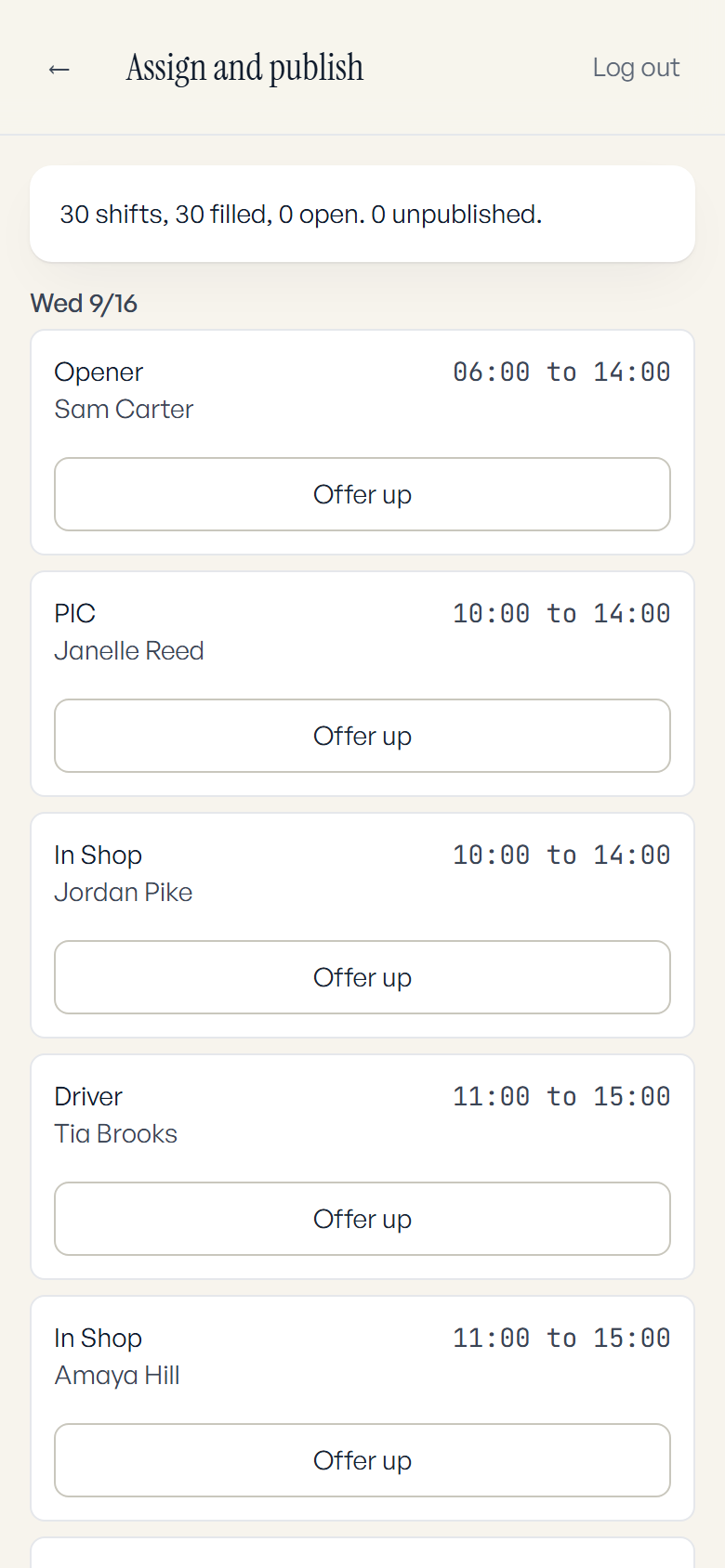
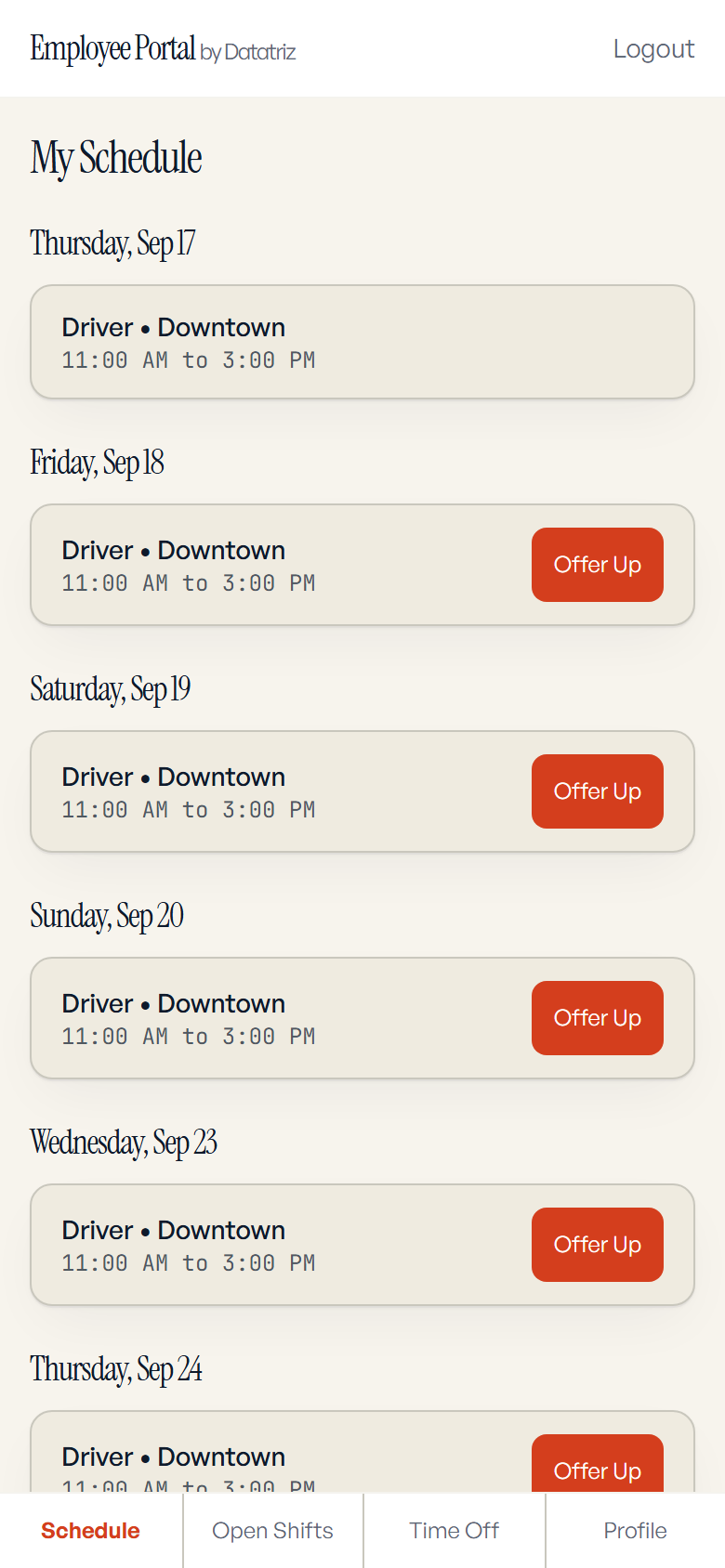
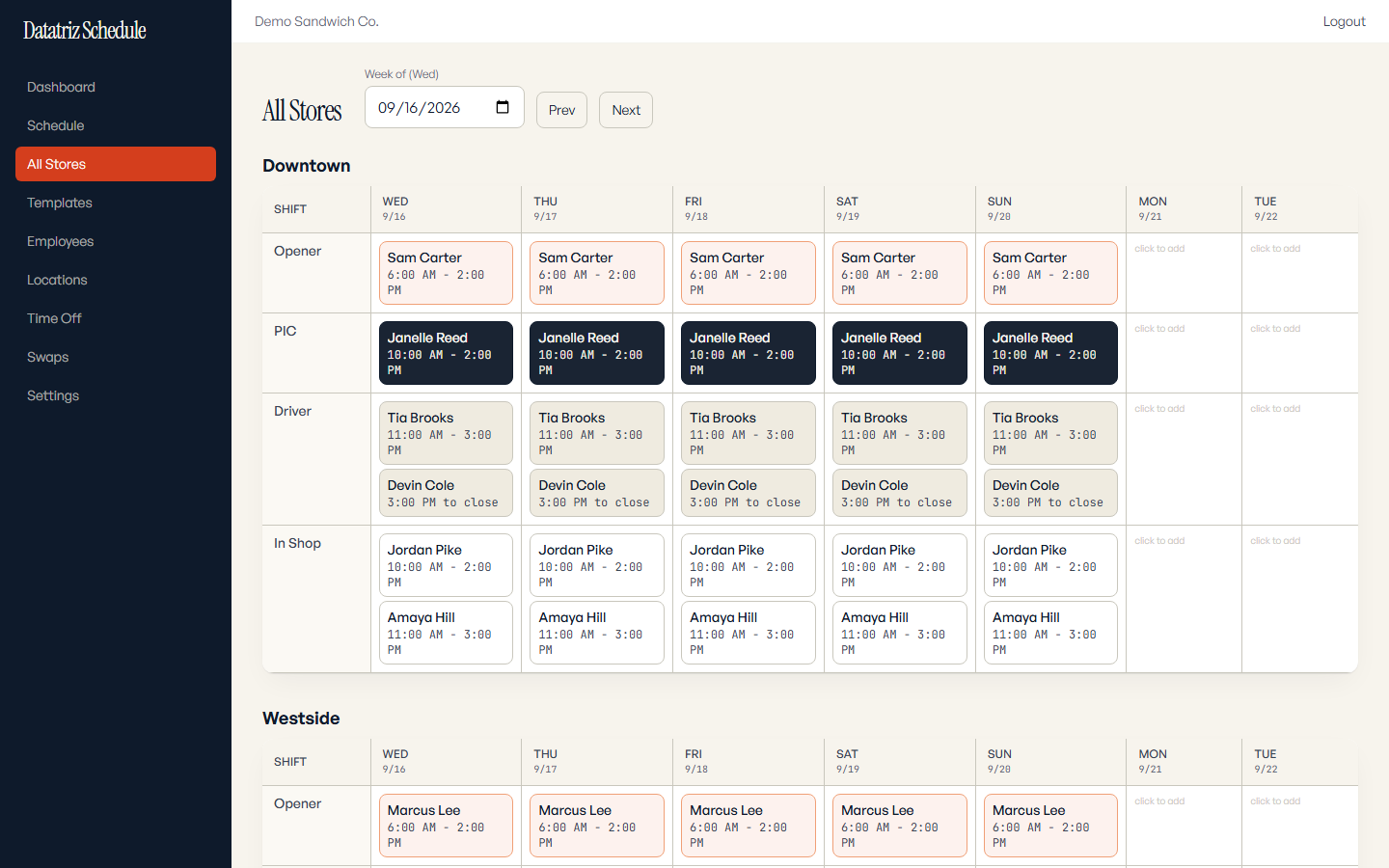
Each store runs its own week. You see all of them.
Every location keeps its own schedule and its own crew. Store managers get their own login, and the Employees page opens on their store. As the owner you open one view across every location, and any week prints for the wall.
One price per location.
$200 per location per month
- 14 day free trial
- No setup fee
- No contract. Cancel with one email.
Prefer to have it set up with you in person? Book a walkthrough.
Employees install the Datatriz Team app on their own phone and open their shifts once the week is published.


See the app in a few minutes.
See it with your own stores.
A 20 minute walkthrough of the app, in person or on a call.
Book a walkthrough